
Invoice Maker by Invoice Home
Invoice Home Inc.Business
4.1545.00 Reviews
- Version
- 5.9.4
- Installs
- 1.00M
- Age Rating
- Everyone
Screenshots
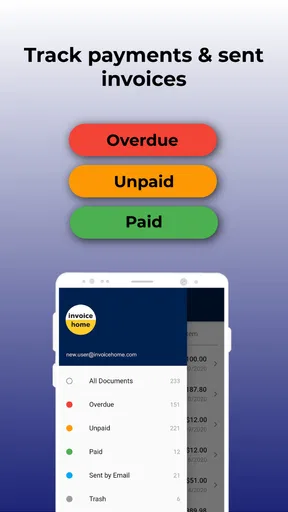
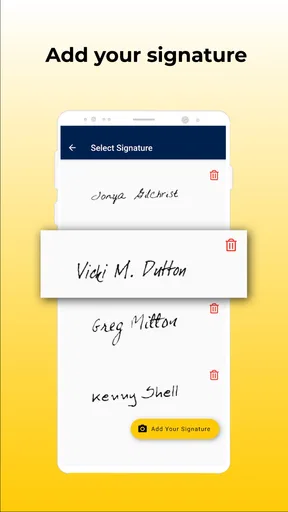
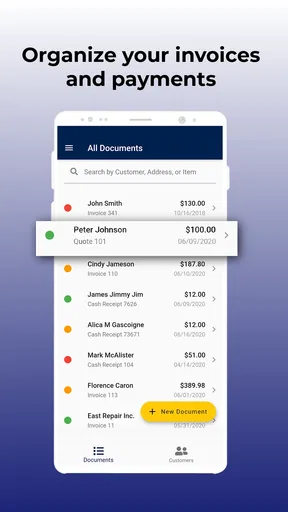
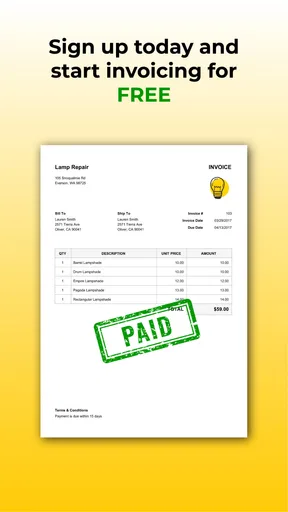
Our Review of Invoice Maker by Invoice Home
 Analysis by Appyee
I like invoicing tools best when they make a routine task easier without asking me to build my whole business around them. Invoice Maker by Invoice Home has an appealing first-week promise: make a document, give it a professional appearance, and get back to the work that earns the money. The useful question is whether that convenience still matters once creating invoices becomes a monthly habit.
Why it feels useful right away
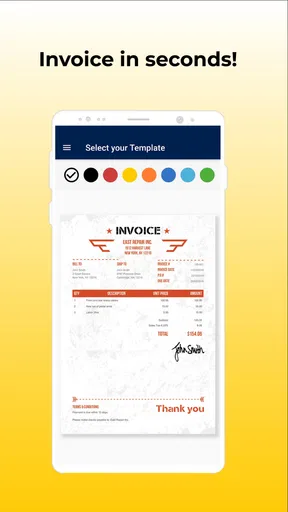
The app is a business tool from Invoice Home Inc., and its focus is refreshingly clear: helping people prepare client-facing paperwork without starting from a blank page. Its templates give a new user an easy first decision—choose a look, add the job details, and shape the document to suit the business. I can see the appeal for someone who has been sending plain, inconsistent invoices and wants a more finished result without learning a full accounting system.
That quick visual improvement is not the same as a complete business workflow, though. A polished invoice can make a good impression, but the details still need to be right: client name, services, quantities, payment terms, and the amount due. I would treat the template as a helpful starting point rather than a substitute for checking the numbers and wording before sending.
A small-business fit, with clear boundaries
For a freelancer, repair professional, consultant, or small service business, the practical value is easy to picture. After finishing a job, I could prepare an invoice while the details are still fresh instead of leaving the paperwork until the end of the week. That habit can reduce the chance of forgetting a line item or mixing up which client asked for what. The app is also aimed at people who want presentable documents but do not need every part of bookkeeping in the same place.
It is less compelling if you need a connected accounting operation with detailed reporting, reconciliation, payroll, inventory, or a carefully controlled approval process. In those cases, a dedicated accounting platform may be the better home for your records, even if it takes longer to learn. I would also think twice if your work depends on strict, organization-wide document rules; a customizable template is not automatically a replacement for a managed finance workflow.
Where recurring use earns its place
The strongest case for keeping a dedicated invoice app is repetition. Client details and saved items can make repeat work quicker, while estimates and purchase orders give the app a role before and around the invoice itself. A useful habit is to keep your common services named consistently, then review each document before sending it. That makes later records easier to understand and helps prevent slightly different descriptions from accumulating for the same kind of work.
Converting an estimate into an invoice can also be useful when a project changes from proposal to completed work. I would still compare the final invoice with the agreed scope, especially if the job changed along the way. One-click conversion saves retyping, but it cannot decide whether a revised price or extra work was approved. The time-saving is most dependable when the underlying details have already been maintained carefully.
Simplifying the Invoice Process
First off, the Invoice Maker by Invoice Home app makes creating invoices feel like a breeze. The user interface is super intuitive, which means even if you’re not a tech whiz, you’ll still find your way around without any hiccups. I was immediately impressed by the wide array of templates available. Whether you need something sleek and professional or more creative, there’s a template for every business vibe.
Customization at Your Fingertips
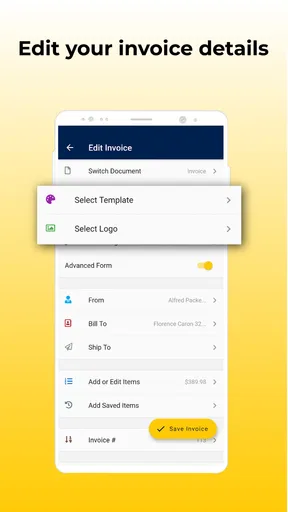
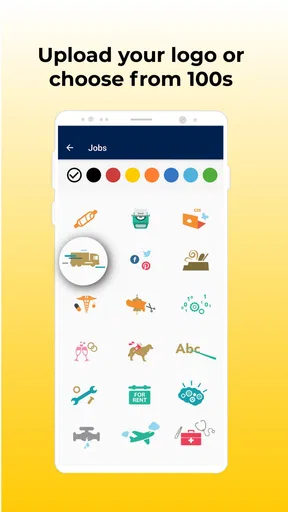
One of the standout features for me was the level of customization offered. You can easily add your company logo, switch up colors, and adjust fonts to match your brand identity. It’s these little touches that make a big difference, giving your invoices that polished, professional look. Plus, the app allows you to save items and client details, so future invoicing is even quicker.
Going Beyond Invoicing
This app isn’t just about sending invoices. It also supports estimates and purchase orders, which is a huge win if you’re managing multiple aspects of your business. I found the ability to convert estimates into invoices with one click particularly handy, saving time and reducing the risk of errors.
Multi-Currency Support
If you deal with international clients, you’ll appreciate the multi-currency support. I tested this feature and found it straightforward to switch currencies, complete with automatic conversions. This means no more messing around with exchange rates manually, which is a huge relief.
For overseas work, I would decide on the currency before building the document and check it again against the client’s agreement before sending. A currency setting helps express the amount in the form you need; it does not remove the need to confirm the agreed price or account for any separate fees your business may face. That quick check is especially worthwhile when a quote has been open for a while or the scope has shifted.
Accessibility and Integration
Another aspect I loved was the app’s integration capabilities. You can connect with platforms like PayPal, which makes receiving payments seamless. Plus, having access to the app on both Android and iOS means you can manage your invoices from wherever you are – whether you're in the office or on the go.
In everyday use, mobile access is most valuable for capturing the paperwork while a job is still clear in your mind: after a client meeting, at the end of a service visit, or during a quiet moment between appointments. I would not rush through a final invoice on a small screen if it contains many custom lines. A sensible routine is to draft it on the spot, then check the document carefully before it goes out.
Payment convenience also has a boundary. Connecting a payment option can reduce the steps between receiving an invoice and paying it, but it does not guarantee that a client will pay promptly or that every client prefers the same method. If most customers pay by bank transfer or follow their own procurement process, the payment connection may be a bonus rather than the reason to choose the app.
Security and Backup
Security is always a concern when dealing with financial data, and the Invoice Maker by Invoice Home app doesn’t disappoint. It offers secure cloud storage, so your data is safe and accessible anytime. Automatic backups ensure you won’t lose important information, which is a huge peace-of-mind boost.
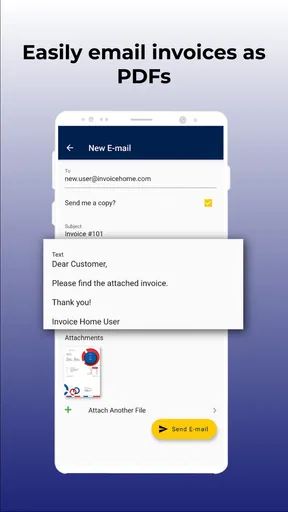
Because invoices contain client and business information, I would still make accuracy and access part of the routine: use a device you control, review recipients before sending, and avoid treating a cloud copy as a substitute for keeping whatever records your business needs. A backup is valuable when something goes wrong, but a clean, consistent filing habit makes it much easier to find the right document later.
What the free start does—and does not—settle
The app is free to install, is rated for Everyone, and has an average rating of 4.2 from around 7,100 ratings, alongside more than 500,000 installs. Those figures suggest it has found a broad audience, but I would use them as context rather than proof that it fits every business. Its current version is 5.8.5, and it supports devices running Android 7.0 or later.
There are in-app purchases priced from $6.99 to $9.00 per item. The app’s free starting point is useful for seeing whether its document workflow suits you, but I would check the current in-app choices before building a routine around a feature you expect to use often. For a person with occasional invoices, a free option may be enough; someone sending documents regularly should judge the cost against the time saved and the limits they actually encounter.
The app was released on April 10, 2017, so it is not a brand-new experiment, and that can be reassuring when choosing a tool for recurring paperwork. Still, longevity alone does not tell me whether a particular plan matches a business’s record-keeping needs. I would test a complete sample workflow—create a document, review how it looks when received, and confirm that the way of handling payment fits my clients—before relying on it for every job.
When another approach is a better fit
Compared with drafting invoices in a word processor or spreadsheet, a dedicated maker can reduce repetitive formatting and keep client and item details handy. The trade-off is that a document-focused app may not give a growing business the connected financial picture it would get from full accounting software. A spreadsheet remains flexible for unusual calculations and internal tracking, while a comprehensive accounting service makes more sense when invoices need to sit alongside broader financial records.
I would skip this app if your invoices are rare and a simple document template already works, or if your team needs centralized permissions and a formal review trail. I would also look elsewhere if accounting reports and end-to-end bookkeeping matter more than quick document creation. On the other hand, if your main frustration is repeatedly making clean invoices and estimates for the same kinds of work, the focused approach is a sensible middle ground.
Keeping the routine from becoming busywork
To make the app earn a lasting place, I would keep the process deliberately simple: save only the client and item details that are genuinely reused, choose a template that remains easy to read, and check every total and recipient before sending. Too many designs can turn template selection into another decision, so I would settle on one clear look for ordinary work and reserve customization for cases where it serves a real purpose.
Another helpful habit is to treat each estimate as a checkpoint rather than a formality. Before converting it, compare the approved scope with what was delivered, then review any changed quantities or services. This is where a quick workflow can either prevent mistakes or carry them forward; the conversion step is useful, but a brief human review is what makes it dependable.
Pricing and Value
Let’s talk cost. The app offers a free tier, which is perfect if you’re just starting out or have minimal invoicing needs. For more advanced features and unlimited invoices, there’s a premium option. I found the pricing reasonable, considering the time and hassle it saves.
My lasting verdict is positive for independent workers who want attractive invoices, estimates, and purchase orders without turning document creation into a project. It is not a universal finance system, and recurring value depends on whether its saved details and mobile workflow match the way you actually bill. If they do, it can become a modest but useful part of the working week; if your needs center on deeper accounting or formal controls, choose a broader tool instead.
In conclusion, Invoice Maker by Invoice Home is more than just an invoicing app. It’s a comprehensive tool that streamlines various business tasks, saving you time and enhancing your professionalism. Whether you’re a freelancer, small business owner, or managing a larger operation, this app is definitely worth a try. Give it a go and see how it can transform your invoicing process!
Verdict
Strengths of Invoice Maker by Invoice Home
- User-friendly interface for quick setup.
- Customizable templates enhance brand identity.
- Supports multiple currencies and languages.
- Includes cloud backup for data security.
- Offers online payment integration.
Limitations of Invoice Maker by Invoice Home
- Limited free version features available.
- No offline mode for creating invoices.
- Customer support can be slow to respond.
- Mobile app lacks some desktop features.
- Ads in free version can be intrusive.
Similar Picks in This Category
View All
LinkedIn: Community & Network
LinkedIn3.8

Zoom Workplace
zoom.com4.1

Microsoft Teams
Microsoft Corporation4.6

Meta Business Suite
Meta Platforms, Inc.4.6

Webex Meetings
Cisco Systems, Inc.4.5

TeamViewer Remote Control
TeamViewer4.4
Frequently Asked Questions
What features does Invoice Maker by Invoice Home offer?
Invoice Maker by Invoice Home provides a comprehensive suite of features designed to simplify your invoicing process. Users can create customized invoices, estimates, and receipts with ease. The app supports multiple currencies and tax rates, making it suitable for international business. Additionally, it offers cloud backup, over 100 invoice templates, and the ability to add your logo for a professional touch.
Is Invoice Maker by Invoice Home free to use?
Invoice Maker by Invoice Home offers a free version with basic features that are suitable for small businesses and freelancers. However, to access advanced features like unlimited invoices, premium templates, and priority customer support, users may need to subscribe to a paid plan. Always check the app store for the latest pricing details.
How secure is my data on Invoice Maker by Invoice Home?
Invoice Maker by Invoice Home takes data security seriously, employing encryption to protect your information. The app also offers cloud backup to ensure that your data is safely stored and recoverable. However, users are encouraged to review the app’s privacy policy and terms of service to fully understand their data management practices.
Can I use Invoice Maker by Invoice Home offline?
Yes, Invoice Maker by Invoice Home can be used offline to create and edit invoices. However, certain features such as cloud backup and emailing invoices require an internet connection. Once you're back online, the app will sync any changes to ensure all your data is updated across devices.
Is Invoice Maker by Invoice Home suitable for international businesses?
Invoice Maker by Invoice Home is well-suited for international businesses, as it supports multiple currencies and tax rates. This flexibility allows users to easily create invoices for clients around the globe. It also offers customizable templates that can be adjusted to meet the specific needs and regulatory requirements of different countries.
